Welcome to Python Basics

Start your Python journey here with simple, well-explained topics and code previews.

Explore the Basics

Variables and Data Types

Variables & Data Types

Control Flow

Control Flow

Functions

Functions

Classes and Objects

Classes and Objects

Data Structures

Data Structures

Exceptions and Errors

Exceptions and Errors

Variables & Data Types

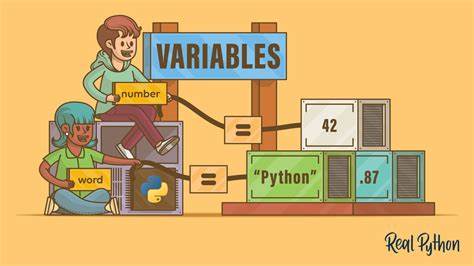
In Python, variables are used to store information that can be reused and manipulated throughout a program. Python is a dynamically typed language, which means you do not need to declare the data type of a variable explicitly — Python figures it out at runtime.

Below are some of the most commonly used data types in Python:

  • Integer (int)
    Whole numbers without decimal points.
    Examples: 10, -5
  • Float (float)
    Numbers with decimal points.
    Examples: 3.14, -0.001
  • String (str)
    Sequence of characters enclosed in single or double quotes.
    Examples: "Hello", 'Python'
  • Boolean (bool)
    Represents truth values used in logic and conditions.
    Values: True, False
  • List (list)
    An ordered, mutable collection of items.
    Example: [1, 2, 3]
  • Dictionary (dict)
    A collection of key–value pairs.
    Example: {"name": "Alice", "age": 25}
  • NoneType (None)
    Represents the absence of a value or a null value.
    Example: None

To check the data type of a variable, you can use the built-in type() function:

            
# Examples of variable types
x = 10                   # Integer
y = 3.14                 # Float
name = "Alice"           # String
is_active = True         # Boolean
fruits = ["apple", "banana", "cherry"]  # List
person = {"name": "Alice", "age": 25}   # Dictionary
nothing = None           # NoneType

# Using variables
print(f"{name} has {x} apples.")
print(f"The value of pi is approximately {y}")
print(f"Active user? {is_active}")
print(f"Fruit list: {fruits}")
print(f"Person info: {person}")
print(f"Nothing is assigned: {nothing}")

# Checking data types
print(type(x))      # 
print(type(y))      # 
print(type(name))   # 
print(type(is_active))  # 
print(type(fruits))     # 
print(type(person))     # 
print(type(nothing))    # 



Control Flow

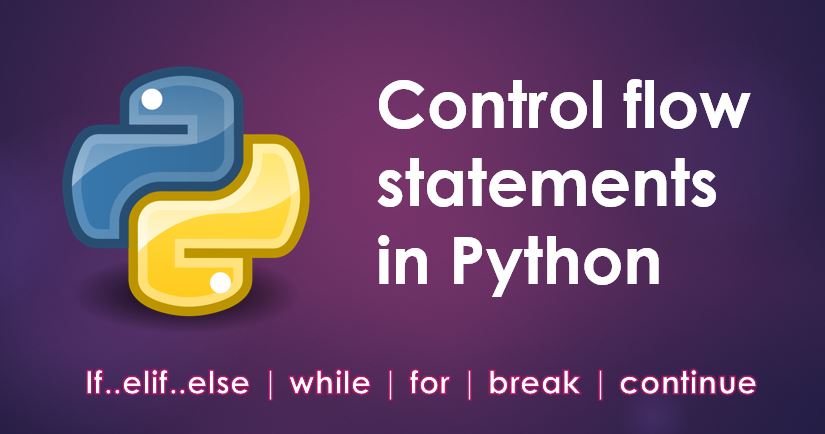
In Python, control flow refers to the order in which the code is executed. It allows you to make decisions, repeat actions, and control how and when parts of your program run.

Python provides several control flow tools:

  • Conditional Statements (if, elif, else)
    Used to execute blocks of code based on certain conditions.
  • Loops (for, while)
    Used to repeat a block of code multiple times.
  • Loop Control Statements (break, continue, pass)
    Used to control the behavior of loops.

Indentation is crucial in Python and defines blocks of code under each control structure.


# Conditional Statements
x = 10
if x > 0:
    print("Positive number")
elif x == 0:
    print("Zero")
else:
    print("Negative number")

# For loop
fruits = ["apple", "banana", "cherry"]
for fruit in fruits:
    print(f"I like {fruit}")

# While loop
count = 0
while count < 3:
    print(f"Count is {count}")
    count += 1

# Break example
for number in range(5):
    if number == 3:
        break
    print(f"Number: {number}")

# Continue example
for number in range(5):
    if number == 2:
        continue
    print(f"Number: {number}")

# Pass example (used as a placeholder)
for i in range(5):
    if i == 3:
        pass  # Placeholder for future code
    print(f"i = {i}")


Functions

In Python, functions are reusable blocks of code that perform a specific task. They help organize code, avoid repetition, and improve readability. Functions are defined using the def keyword, followed by the function name and parentheses.

Functions may take inputs called parameters and may optionally return an output using the return statement.

There are two main types of functions in Python:

  • Built-in Functions
    Provided by Python itself.
    Examples: print(), len(), type()
  • User-defined Functions
    Created by the programmer using the def keyword.

Basic structure of a user-defined function:


def function_name(parameters):
    # block of code
    return value
          

Functions can have:

  • No parameters and no return value
  • Parameters but no return value
  • No parameters but return value
  • Parameters and return value

Functions improve modularity and allow code reuse. You can call (invoke) a function by using its name followed by parentheses, passing arguments if required.

      
# Function with no parameters and no return
def greet():
    print("Hello, world!")

# Function with a parameter
def greet_user(name):
    print(f"Hello, {name}!")

# Function with return value
def square(number):
    return number * number

# Function with multiple parameters and return
def add(a, b):
    return a + b

# Calling the functions
greet()                            # Output: Hello, world!
greet_user("Alice")                # Output: Hello, Alice!
print(square(5))                   # Output: 25
result = add(10, 20)
print(f"Sum is: {result}")         # Output: Sum is: 30

# Checking function type
print(type(greet))                 # 


Classes and Objects

In Python, classes and objects are part of Object-Oriented Programming (OOP), a paradigm that models real-world entities using code. A class is a blueprint for creating objects, which are instances of the class.

Classes define the attributes (variables) and methods (functions) that describe the behavior and properties of the object. Objects hold actual data and can use the methods defined in the class.

Key terms:

  • Class – A template for creating objects
  • Object – An instance of a class
  • Constructor – The __init__ method used to initialize object properties
  • Method – A function defined inside a class
  • Self – A reference to the current instance of the class

Benefits of using classes:

  • Encapsulation – Keeping data and functions bundled
  • Reusability – Code can be reused through instances
  • Scalability – Easy to expand functionality with more objects

Basic syntax for defining and using a class:


class ClassName:
    def __init__(self, parameter1, parameter2):
        self.attribute1 = parameter1
        self.attribute2 = parameter2

    def method_name(self):
        # perform action
        pass

# Creating an object
obj = ClassName(value1, value2)
obj.method_name()
            
          
# Defining a class
class Car:
    def __init__(self, brand, model, year):
        self.brand = brand
        self.model = model
        self.year = year

    def honk(self):
        print(f"{self.brand} {self.model} says 'Beep beep!'")

    def display_info(self):
        print(f"Car Info: {self.year} {self.brand} {self.model}")

# Creating objects (instances)
car1 = Car("Toyota", "Corolla", 2020)
car2 = Car("Ford", "Mustang", 2023)

# Using object methods
car1.display_info()       # Car Info: 2020 Toyota Corolla
car1.honk()               # Toyota Corolla says 'Beep beep!'

car2.display_info()       # Car Info: 2023 Ford Mustang
car2.honk()               # Ford Mustang says 'Beep beep!'

# Accessing attributes directly
print(car1.brand)         # Toyota
print(car2.year)          # 2023


About This Site

This website was created as part of an educational initiative to help learners understand the fundamentals of Python programming. It is structured to provide clear, hands-on guidance on core programming concepts through categorized tutorials and examples.

Project Milestones

Project Milestones

Key stages included initial planning, content design, prototype testing, and final deployment.

Planning

Planning & Structure

The site follows a logical structure—from beginner to advanced topics—for easy learning flow.

Purpose and Audience

Purpose & Audience

Designed for students and beginners seeking to grasp Python through visual and practical examples.

Sources

Sources

Content is curated from official Python documentation and community-driven tutorials.